
The Genius · software & setup
Unlocked after a paid order
Software and installation instructions become available in your account after a paid The Genius order.
DIMSPORT hardware / The Genius hardware
New-customer hardware: The Genius OBD & Bench + Open reading/programming/cloning
Item number: KTHEGENIUS_00
Ab 1.150,00 €
Net price plus VAT and shipping. Base price; selected options are added.
Request adviceSpecialist trade supplier. Check the total price and delivery details at checkout.
PRODUCT INFORMATION
Description & technical details
OBD, Bench and Open explained clearly →
TheGenius for new customers
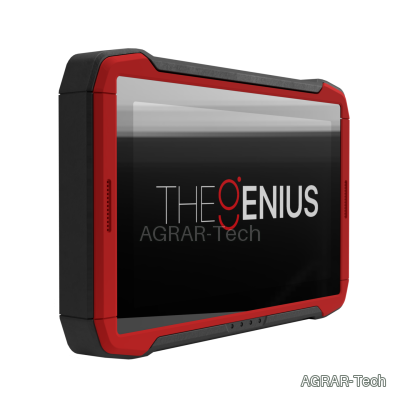
The hardware package for new customers combines OBD, Bench and Open work in a standalone Dimsport device. Programming takes place directly on the device; reading and writing do not require a permanently connected PC.
Available vehicle categories and protocols depend on the selected activation. Hardware, activation and optional cables are listed separately in the configuration.
Device and connection options
- 10.1-inch touchscreen for selecting vehicles and protocols.
- Integrated lithium battery for mobile use.
- Dual-band Wi-Fi 5 and Bluetooth 5.2 for the supported online and assistance functions.
- Internal monitoring of temperature, current and voltage.
- Existing wiring harnesses can be reused with the appropriate adapter.
- OBD, Bench and Open operation in one device; reading, programming and cloning within the scope of the activated protocol.
Operation and workflow
Standard mode guides you through vehicle selection. Advanced mode lets you select directly from the available protocols.
- Tasks: manage programming jobs.
- Support: access help and create support tickets.
- Dimsport World: access product news, updates and other resources.
Support, updates and licence management
For remote support, the device can be mirrored through a PC. Support tickets can also be created directly on TheGenius. Video tutorials and a knowledge base support setup and use.
Contract management displays renewals and expiry dates. Online support and updates require the necessary connection and entitlement.
Contents
- TheGenius reading and programming tool – F36THEGENIUS
- ABS carrying case – C36TGVAL
- Power supply with MIX4 AC plug set – C36TGALIM
- USB connection cable for PC/laptop – C32GNUSB01
- HD-SUB 44 F to DB25 F adapter cable – F36TG104
- HD-SUB 44 F to OBD-16 M OBD cable – F36TG102
- Universal pin-to-pin connection cable – F36TG101
- Small connection terminals, black/white – F36TG101-S1-B and F36TG101-S1-W
- Medium connection terminals, green/red – F36TG101-S2-G and F36TG101-S2-R
- Large connection terminals – F36TG101-S3
- Crocodile clips – F36TG101-S4
- Cable splitters – F36TG101-S5 and F36TG101-S6
- Battery power cable – F36TG003
- 26-to-10-contact IDC ribbon cable – F36TGF51
- 26-to-16-contact IDC ribbon cable – F36TGF53
- 26-to-26-contact IDC ribbon cable – F36TGF54
- D-SUB 25 F to IDC 26 M cable – F36TG103
- Self-test module for port 1, D-SUB 44 – F36TG106-DB44
- Self-test module for port 2, D-SUB 25 – F36TG106-DB25
Choosing the right setup
Activations are grouped into OBD & Bench, Bench and OBD. Select one version within a group.
Additional cables and adapters can be selected individually. The displayed surcharges are added to the hardware price.